
Most "AI" meal planning is just search with a chatbot on top
Type "chicken dinner ideas" into any recipe site and you'll get 10,000 results. Add a chatbot interface and you've got what most apps call "AI meal planning."
But that's not planning. That's browsing with extra steps.
Real meal planning means looking at your whole week — what you like, what you avoid, how much time you have on a Tuesday versus a Saturday, who you're feeding — and making decisions that hold together across seven days. It means Monday's leftovers show up as Wednesday's lunch ingredient. It means your grocery list doesn't include things you won't use.
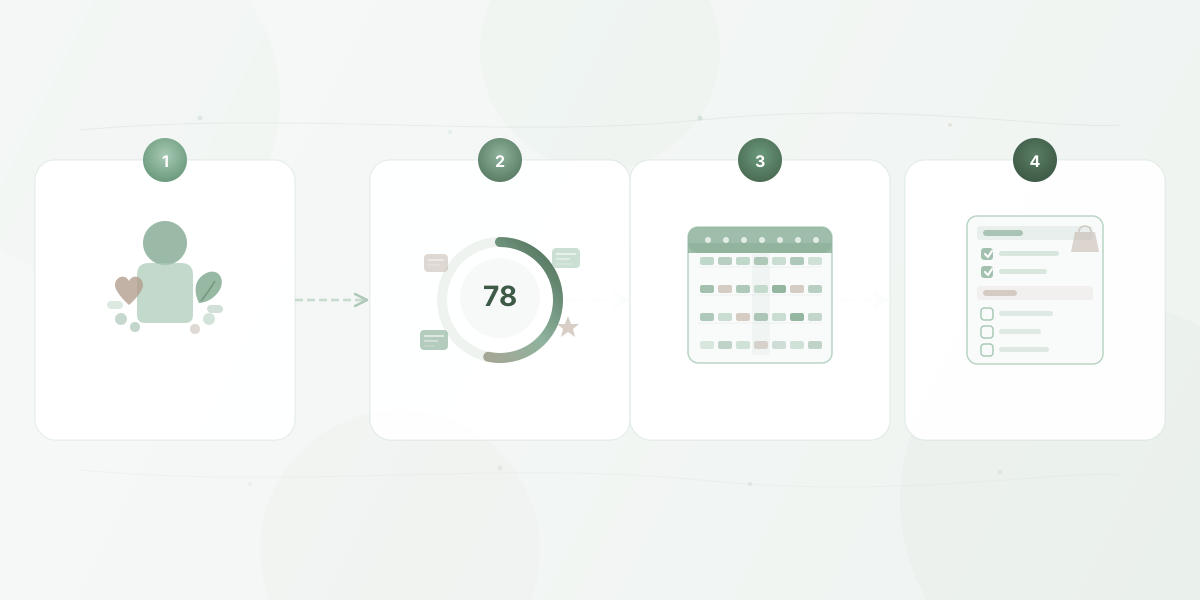
That's what AI meal planning actually does when it's built right. Here's how it works, step by step.
Step 1: Your food profile tells the AI who it's cooking for
Everything starts with a food profile. Not a quiz. Not a personality test. Just the practical information any good meal planner would ask for.
Dietary restrictions and allergies. Gluten-free. Nut allergy. Dairy-free. Vegetarian. These aren't preferences — they're hard boundaries. The AI needs to know what's off the table before it puts anything on it.
Cuisine preferences. Maybe you love Thai and Mexican but skip French. Maybe you're open to anything. This shapes which recipes even get considered.
Nutrition goals. Weight loss, muscle gain, heart health, balanced eating, or "I just want meals that taste good." The AI uses this to weight its choices, not to lecture you.
Cooking skill and time. A 30-minute weeknight ceiling is different from a weekend-project mindset. The AI should know the difference and plan accordingly.
Household size. Cooking for one is a different problem than cooking for a family of five. Portion sizes, variety expectations, and leftovers math all change.
The food profile isn't a one-time setup you forget about. It's a living document. Every time you swap a recipe, skip a suggestion, or update a preference, the AI learns something. The profile gets sharper over time without you filling out more forms.
Step 2: Every recipe gets scored against your profile
This is where most meal planning tools stop thinking. They search a database, filter by a couple of tags, and hand you a list. AI meal planning does something fundamentally different: it scores every recipe against your specific profile.
At Eatgent, we call this a Fit Score — a number from 0 to 100 that measures how well a recipe matches you. Not a generic rating. Not how popular it is. How well it fits your profile.
The score draws on four dimensions:
Dietary compliance. Does the recipe respect your restrictions? Recipes that conflict with hard boundaries (like a nut allergy) get filtered out entirely. Partial conflicts — say, a recipe that's almost dairy-free but uses a splash of cream — lower the score so you can decide.
Nutrition alignment. Does the recipe move you toward your goals? If you're targeting higher protein or lower sodium, recipes that align score higher. This isn't about perfection — it's about nudging the overall week in the right direction.
Cuisine match. Does it reflect what you actually enjoy eating? If you've told the AI you love Italian and it keeps suggesting Scandinavian fermented fish, something's broken.
Feedback history. What has the AI learned from your past behavior? Recipes similar to ones you've kept score higher. Recipes similar to ones you've swapped out score lower. This is how the system gets better without asking you more questions.
The result: instead of 10,000 undifferentiated recipes, you get a ranked shortlist where every option is already vetted against your specific situation.
Step 3: The AI assembles a week, not just a list
Here's where scoring alone isn't enough. You could take the seven highest-scoring recipes and call it a week, but you'd end up eating chicken stir-fry variations five nights in a row.
Building a good week requires balancing competing constraints:
Variety. Different proteins, different cuisines, different cooking methods across the week. Tuesday's tacos and Thursday's pasta should feel like different meals, not variations on a theme.
Nutrition balance. Individual recipes might score well, but the week as a whole needs to make sense. If Monday and Tuesday are both high-carb comfort food, Wednesday should balance that out — even if another pasta dish technically scores higher.
Practical constraints. A 90-minute recipe on a Wednesday when you get home at 6:30 is a plan that won't survive contact with reality. The AI matches meal complexity to the time you actually have on each day.
Ingredient reuse. Good meal planning uses overlapping ingredients across the week. Buy cilantro once, use it in three meals. This reduces waste and keeps your grocery list shorter.
Real life. Not every night is a cooking night. Takeout on Thursday, leftovers on Wednesday, dining out on Friday — these are legitimate parts of a week. The AI accounts for them so your grocery list only covers meals you're actually making.
The output is a complete weekly plan where every slot makes sense in context — not just individually, but as part of a coherent week.
Step 4: The grocery list writes itself
Once the plan exists, the grocery list is a solved problem.
The AI inventories every ingredient across every recipe you're actually cooking that week. It consolidates duplicates — if three recipes call for onions, you see "onions" once with the right total quantity. It skips ingredients for meals you're not cooking (takeout nights, dining out, leftovers).
The list gets organized by store section: produce together, dairy together, pantry staples together. You're not zigzagging across the store because the app listed ingredients in recipe order.
This is one of those features that sounds simple but removes real friction. Building a grocery list manually from a meal plan takes 15-20 minutes and usually involves missing something. The AI does it in seconds and doesn't forget the cilantro.
The loop that makes it better
The system improves every week because it's designed as a feedback loop, not a one-shot generator.
When you swap a recipe, that's a signal. When you keep a plan unchanged, that's a signal too. When you regenerate the whole week, the AI learns that the previous batch missed the mark. Over time, your Fit Scores climb, your plans need fewer adjustments, and the weekly routine takes less effort.
Most users see noticeably better plans within the first few weeks — not because the AI got smarter in general, but because it got smarter about them.
What this means in practice
AI meal planning isn't about impressing you with technology. It's about solving a specific, recurring problem: the mental load of deciding what to eat, every week, for your specific household.
The workflow is straightforward:
- Set up your food profile once, refine it as you go
- Generate a weekly plan where every recipe is already matched to your preferences
- Adjust anything that doesn't look right
- Get a grocery list built from the meals you're actually making
No browsing. No spreadsheets. No 5:30pm panic.
That's how AI meal planning actually works — and why it's different from having a search engine that knows you're gluten-free.
Try Eatgent free for 7 days — set up your food profile and get your first AI-generated meal plan in minutes.